 Twinsub
Twinsub Video to subtitles
Twinsub
Drop in a video and a ready-to-use bilingual subtitle file appears beside it. The source language is detected automatically and you pick the target language. Import it into CapCut or Final Cut Pro and the timing already lines up.
- Everything runs on your Mac. Your videos are never uploaded
- No account and no API key
- Free for the first 10 minutes of each video; a one-time purchase removes the limit
- Also live subtitles: whatever is playing on your Mac is recognized and shown in the language you choose
Want early access, or have an idea? Write to twinsub@gatheon.com
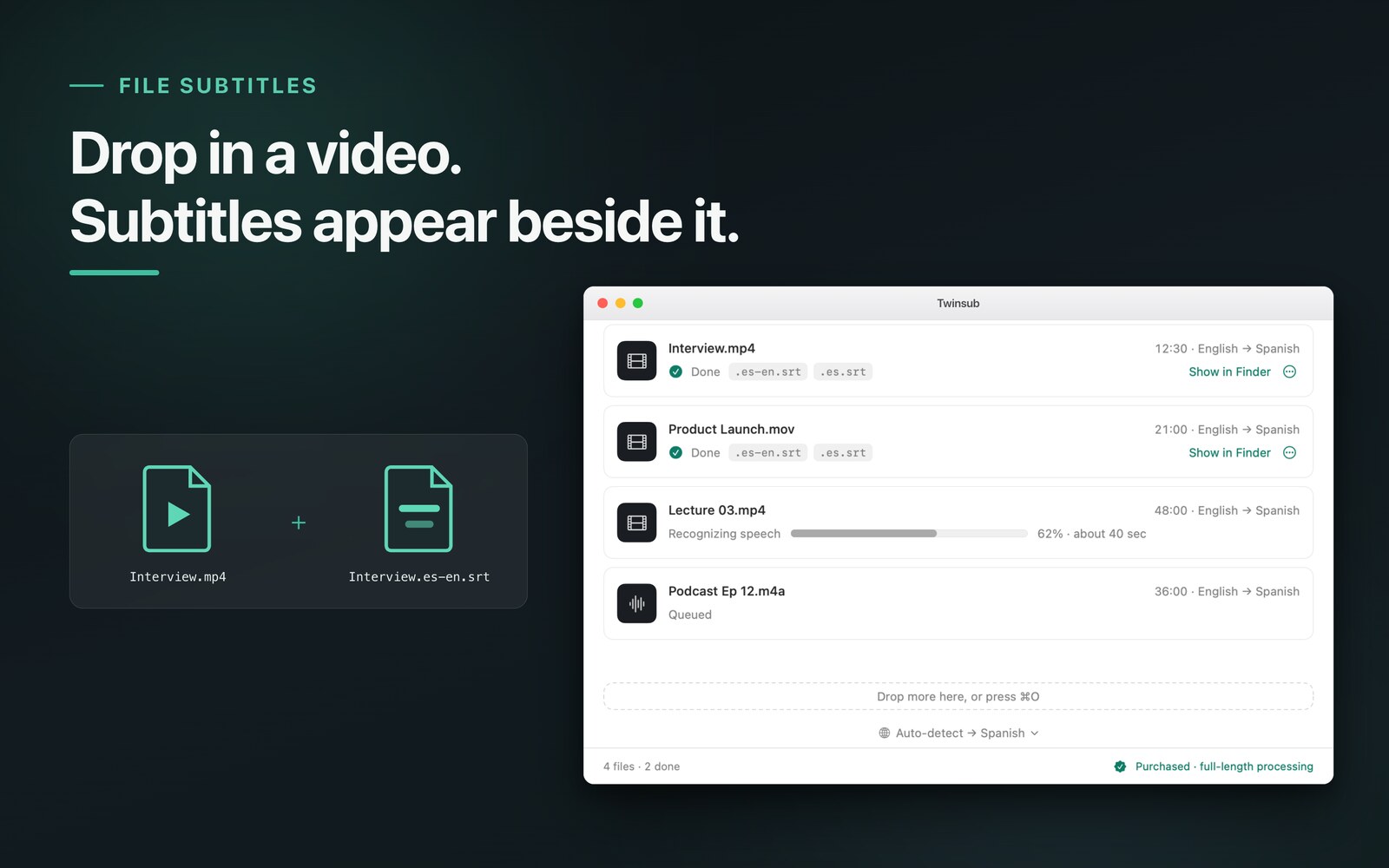
The output is a file like this
In the bilingual file the target language sits on top and the original below (you can swap the order in Settings), one clause per cue. Below are the first 4 cues of Interview.en-zh.srt, from a real run on a Chinese-language video with English as the target. It is real output, not a mockup.
1
00:00:00,060 --> 00:00:02,900
I want to have a chat with you today.
今天我想和大家聊一聊,

2
00:00:02,900 --> 00:00:05,300
How can a small team
spend very little money?
一个小团队怎样用很少的钱

3
00:00:05,300 --> 00:00:07,720
Make a really useful product.
做出一款真正有用的产品。

4
00:00:07,780 --> 00:00:10,450
At first, we only had a simple idea.
我们最初只有一个简单的想法,
Three steps
- Drop it inDrag videos or audio files into the window, as many as you like.
- Give it a minuteA 10-minute video takes about a minute, and you can watch the progress the whole time.
- Subtitles appear beside the videoThe same folder gets a bilingual
video.target-source.srt(for example.en-zh.srt) and a target-language-onlyvideo.target.srt(for example.en.srt), ready to import into CapCut or Final Cut Pro.
Three ways it is different
Local, no upload
Recognition and translation both run on your Mac. There is no backend, so your videos and subtitles never pass through a server.
No account, no API key
Install it and use it. No sign-up, no keys to apply for, no per-call quota.
Line breaks done properly
Subtitles are cut by clause, not by raw character count: short lines, never a break in the middle of a word, at most two lines per cue.
Live subtitles
In a meeting, an online course, or a web video with no captions, turn on live subtitles. Whatever any app is playing is recognized, the spoken language is detected, and a floating bilingual caption (original and your target language) appears on screen. Recognition and translation run on your Mac as well, and nothing is recorded or saved.
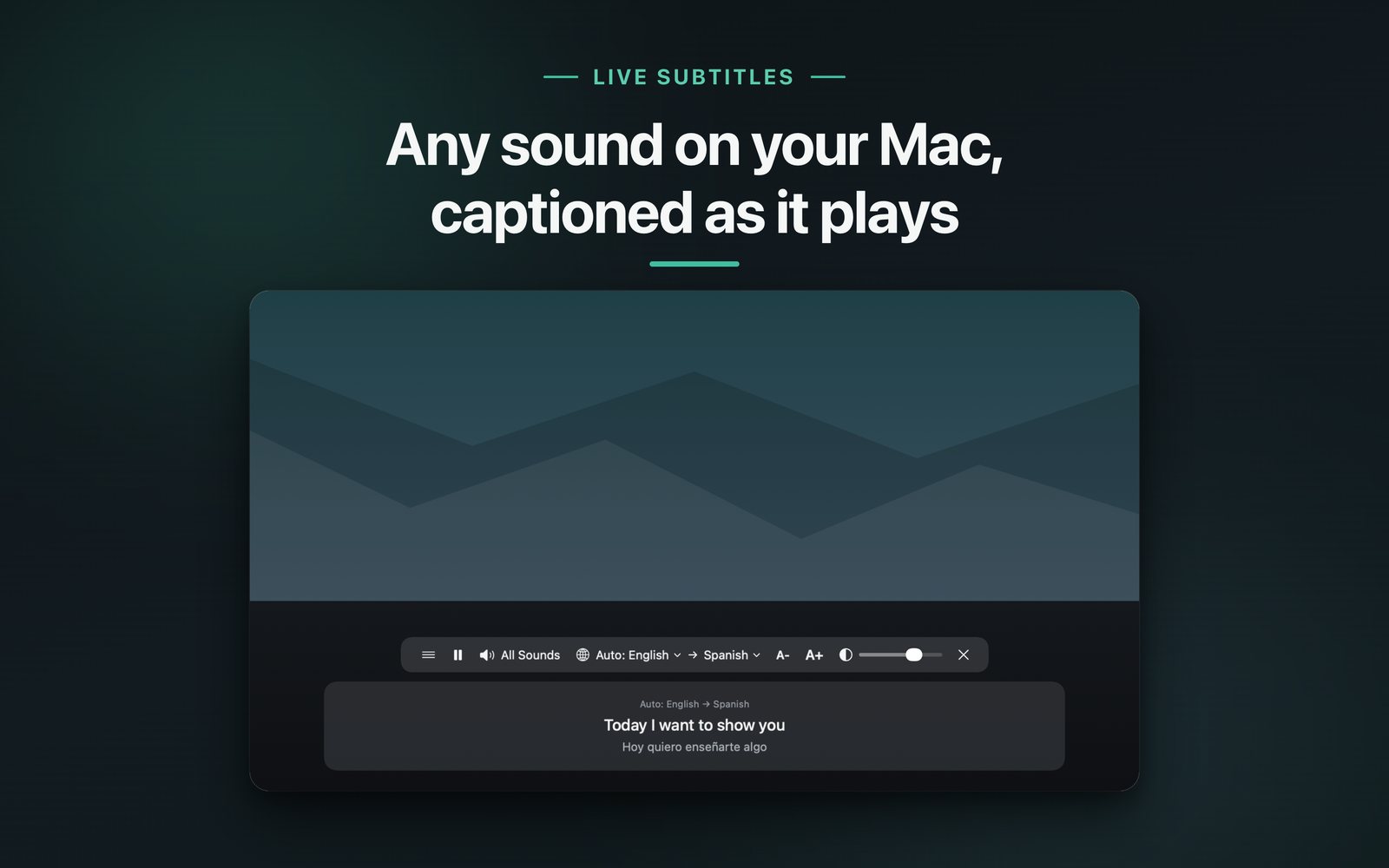
Using it in meetings: any meeting app, translation and original side by side
Pricing
The first launch downloads the speech model once (under 1 GB). After that it works offline.
How to use it, how to choose
Tutorials, use cases and comparisons. Every page stands on its own.
- Bilingual subtitles for meetings: any meeting appUse case
- Bilingual subtitles for video creatorsUse case
- Subtitles for online courses and lecturesUse case
- How to add bilingual subtitles to a video on MacGuide
- How to check and edit SRT subtitlesGuide
- How to import an SRT into CapCut, Final Cut Pro and IINAGuide
- Local vs cloud transcriptionGuide
- Twinsub vs CapCut, MacWhisper and online subtitle toolsComparison
FAQ
What is Twinsub?
A subtitle tool for Mac. Drag a video or audio file into the window and an SRT file appears next to it: the source language is detected automatically (or you pick it), you choose the target language, and you get a bilingual subtitle file. When source and target are the same language, you get a punctuated single-language file and no translation. Import it into CapCut, Final Cut Pro or a player.
Are my videos uploaded to a server?
No. Speech recognition and translation both run on your Mac. There is no backend, so videos and subtitles never pass through a server. The first launch needs a connection to download the speech model once, and macOS downloads the translation language packs.
How much does it cost, and what does the free version limit?
The free version processes the first 10 minutes of each video and 10 minutes per day of live subtitles; everything else is the same. A one-time purchase removes the limits for both videos and live subtitles, with no subscription. The price is shown on the App Store page at launch.
What formats does it output, and what can import them?
Standard UTF-8 SRT. The bilingual file is named “video.target-source.srt” with the target language on top and the source below (you can swap the order in Settings), for example Interview.en-zh.srt. The target-only file is named “video.target.srt”, for example Interview.en.srt. CapCut, Final Cut Pro, IINA and other software that reads SRT can use them.
Can it caption whatever is playing right now?
Yes. With live subtitles on, any sound playing on your Mac (meetings, courses, web videos) has its source language detected and is shown as a floating caption, original and target language together. It is processed on your Mac and nothing is recorded or saved.
Can it subtitle a video in the language I speak?
Yes. When source and target are the same language, for example an English video with English as the target, it writes a single-language file only, such as video.en.srt, with punctuation and sentence-aware breaks, and no translation.
What Mac and system do I need?
macOS 26 or later on a Mac with Apple silicon (M1 or newer). Intel Macs are not supported.
How is it different from CapCut and MacWhisper?
Twinsub is built around one job: turn a local video file into a bilingual SRT (target language of your choice), plus live bilingual subtitles, all on your Mac, as a one-time purchase. It does not burn subtitles into video, include an editor, or tell speakers apart. The comparison page lists each point with its source.
When can I download it?
It is coming soon to the Mac App Store; the date depends on App Store release. For early access, write to twinsub@gatheon.com.
Coming soon to the Mac App Store
Before launch we would love to hear how you plan to use it: twinsub@gatheon.com